




Zoom integration: a separate meeting for every session
Connect Zoom once, and Bookicorn creates a separate meeting for every booked online session. Your customers get the link in the confirmation, the reminder and the app, without you entering anything.
- Free plan, free forever
- No demo call, start right away
- No credit card
Updated 12 October 2026
Zoom integration at a glance
- per booked online session
- 1 meeting
- the studio's Zoom or each trainer's own
- Studio or trainer
- waiting room, passcode, recording and more
- 10 settings
- only those who booked see the link in the app
- Booked only
- deletes the meeting in Zoom
- Cancellation
What is the Zoom integration?
With the Zoom integration, Bookicorn automatically creates a separate Zoom meeting for every booked online session. Your customers get the link in the booking confirmation, in the reminder and in the customer app, and only people who booked can see it. The meeting is hosted on the trainer's Zoom or, if they haven't connected one, on the studio's Zoom.
- Who it's for
- For studios, schools and trainers who offer classes, lessons or coaching online via Zoom and don't want to send links by hand anymore.
- What you get
- One meeting per session, the link in email and app, starting the meeting right from the Manager, settings for the studio and per offering.
- What it costs
- The Zoom Meetings add-on takes one add-on slot in your plan. It is included in the 14-day trial. You also need a Zoom account.
How to get Zoom Integration
You turn on Zoom Integration in the Add-on Store of your Manager with one tap and can switch it off at any time. It uses one of your plan's add-on slots. Once all slots are taken, you can add it on in the paid plans.
- You connect Zoom once for the studio, and each trainer can connect their own.
- Zoom is supported. For Teams or Google Meet, you keep entering a fixed link.
- Included in the 14-day trial.
- Free
- 1 slot
- Starter
- 3 slots
- Professional
- 8 slots
- Premium
- all add-ons
Sending meeting links by hand?
- Where do I find today's Zoom link?
- The link doesn't work, is the old one still valid?
- Do I need a passcode?
One link for all sessions, copied into emails by hand, and questions just before the start. Anyone who has the link gets in, even without a booking.
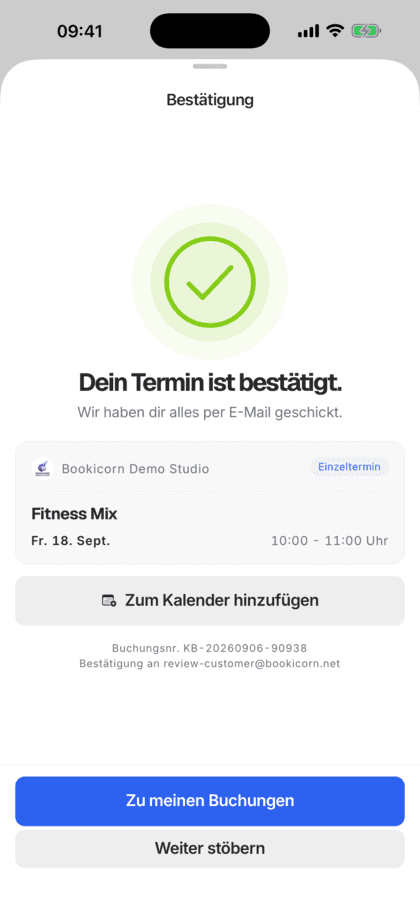
Every booked session has its own meeting. The link is in the confirmation, the reminder and the app, with the passcode already included.
Automatic meetings in three steps
Set it up once, then the meetings are created on their own.
- 1
Connect Zoom
Sign in to Zoom in the Manager under Zoom Meetings. Trainers can connect their own Zoom if they like.
- 2
Switch the offering
For the online offering, choose the Zoom platform and turn on "Create a meeting for every session automatically". You no longer enter a link.
- 3
Customers book, the link arrives
The booking creates the meeting, and the link goes out with the confirmation. It is also in the reminder and in the app.
What the Zoom integration can do
Bookicorn takes care of the meetings, you take care of your participants.
All featuresOne meeting per session
Every booked online session gets its own Zoom meeting. Sessions without bookings get none, which keeps your Zoom account tidy.
The link where customers look for it
The link is in the booking confirmation, in the reminder and in the customer app. The passcode is part of the link, so customers don't have to enter anything.
Studio Zoom or trainer Zoom
Trainers can connect their own Zoom and host their sessions themselves. Without their own connection, the studio's Zoom hosts.
Settings for the studio and per offering
You set the waiting room, joining before the trainer, passcode, camera, audio, dial-in and recording once and change them per offering when needed.
Only people who booked see the link
In the customer app, only customers who booked the session see the link. In the Manager, admins and the trainer of the session start the meeting.
Moves and cancellations carry over
If a session is moved, the link stays the same and Bookicorn enters the new time in Zoom. If it is cancelled, Bookicorn deletes the meeting.
Also included
- Start the meeting right from the session in the Manager
- Copy the participant link with one tap
- Notification and email with the reason if a meeting is missing
- Notice about the 40-minute limit of free Zoom
- Link also in the calendar file of the booking
- With the Calendar Synchronization add-on, also in the trainer's calendar
Start for free, no demo call
Create your account and set everything up in a few minutes. The Free plan stays free forever, and for 14 days you can also try every feature.
- Start right away, no demo call
- No credit card needed
- Cancel monthly
 BookicornFree plan
What others use together with the Zoom integration
Core features are included in every plan, and you add add-ons when you need them.
Online classes
Switch an offering to online, choose Zoom, Teams, Meet or Webex and add the link. Your clients get it with their booking.
Learn moreCalendar Synchronization
Your sessions automatically in Google or iCloud Calendar, with occupancy and participants. Management sees every session, each instructor their own.
Learn moreCancel and reschedule sessions
Cancel sessions or whole series with a reason, or reschedule them. Bookings, refunds and emails to your clients run automatically.
Learn moreNotifications and reminders
Reminders before the session, push in the client app, notifications in the Manager and emails about new bookings. You decide who hears about what.
Learn moreFrequently asked questions about the Zoom integration
Short answers. The first sentence is always the answer.
Can't find your question?
Write to usNo. The passcode is part of the link, and customers join with one click. Only if you turn on "Only join with a Zoom account" do they need their own account.
Any questions about the Zoom integration?
Write to us in two minutes. You get a personal reply from people, not from a bot, and we tell you honestly whether Bookicorn is right for you.

Hi, I'm Daniel. Tell me briefly what you offer, and I'll tell you how to set it up in Bookicorn.
Daniel Haenle · replies personally

Ready for online sessions without hunting for links?
Create your account, test every feature and add-on for 14 days and connect your Zoom. You don't need a credit card.
- 14 days of every feature
- No credit card
- 0% commission
- No minimum term

Ready to go in minutes
- Create your account
- Add your first offering
- 3Share your booking page