




Class landing page: every offering with its own link to book
Every offering automatically gets its own page with description, upcoming sessions, price, instructor and location. You share the link, and your clients book right there.
- Free plan, free forever
- No demo call, start right away
- No credit card
Updated 25 September 2026
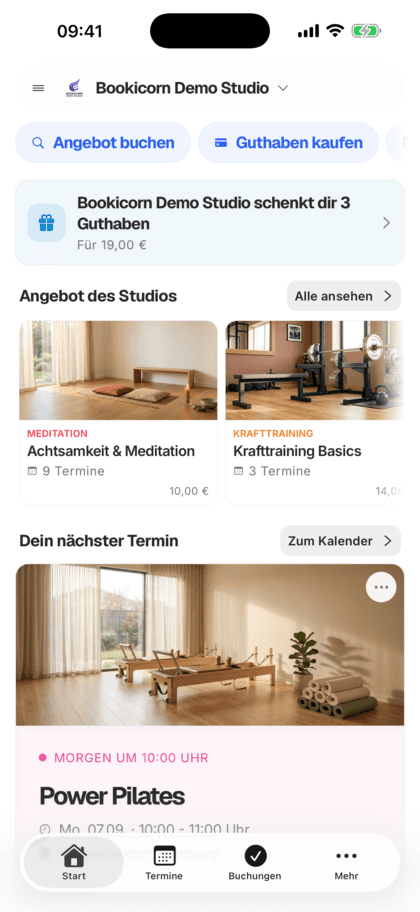
The offering page at a glance
- included even in the Free plan
- In every plan
- per offering, from the title
- Own link
- gallery per offering
- 20 images
- to share from the Manager
- Link and QR
- commission on your bookings
- 0%
- for you and your clients
- 7 languages
What is an offering page?
An offering page is the dedicated detail page of a single offering on your studio page, with its own link like yourname.bookicorn.net/yoga-flow. The page shows the description, upcoming sessions with open spots, price, instructor, location, gallery and similar offerings, and booking happens right there. Bookicorn creates it automatically when you create the offering and provides Google with the title, description and structured data.
- Who it's for
- For anyone promoting individual offerings: the new workshop on Instagram, the beginners' course in the newsletter or a specific session via WhatsApp.
- What you get
- A page per offering with image, key facts, sessions, booking card, instructor, location with directions, gallery, requirements and similar offerings, plus data for Google.
- What it costs
- The offering page is included in every plan, even the Free plan for €0. You pay 0% commission on your bookings.
Clients ask about details that aren't written anywhere?
- What should I bring to the first class?
- Is this suitable for beginners too?
- Who's leading the workshop on Saturday?
You share the link to your whole page, and interested people first have to find the offering. Questions about level, format and what to bring land with you one by one.
You share the link to the offering. It shows the description, level, what to bring, instructor and the next sessions with open spots, and booking happens on the same page.
From offering to link in three steps
The page is built from the details you enter when creating the offering. You don't have to build a page yourself.
- 1
Describe the offering
Title, description, image, category, difficulty level, requirements and what participants should bring. The page's link is created from the title.
- 2
Sessions and images
Create sessions and upload up to 20 images to the offering's gallery. The page always shows the upcoming sessions with their open spots.
- 3
Share the link
Share the link to the offering or to a specific session, as a link or QR code right from the Manager. Whoever opens it books on their own.
What's on an offering page
Everything interested people want to know before booking, on one page. The details come from your offering in the Manager.
All featuresIts own page, its own link
Every public offering automatically gets a page under your studio address. The link is created from the title and stays the same, even if you change the title later.
Sessions with open spots
Upcoming sessions grouped by Today, This week and Next week, each with open spots or Fully booked. Block offerings show their blocks, and appointments the preferred time.
Booking card with price
Price per session or in credits, plus instant confirmation or confirmation by you and the free cancellation deadline. On the phone, the book button stays visible at the bottom.
Instructor
Photo, description, qualifications and experience of the person leading the offering, with a link to the profile.
Location with directions
Location and room with buttons for Apple Maps, Google Maps and directions. Online offerings show how to join instead.
Image and gallery
An image at the top of the page and up to 20 images in the gallery, to flip through in full screen.
Requirements and what to bring
What participants should bring and which requirements apply appears on the page. That means fewer follow-up questions.
Ready for Google
Page title from offering, category, studio and location, a description with duration, sessions and price, plus structured data on the offering, upcoming sessions, instructor and frequently asked questions.
Also included
- Share button on the page for your clients
- Link to a specific session, which is then preselected
- Up to three similar offerings, same category first
- Preview image when sharing, even without your own image
- Automatically listed in your studio page's sitemap
- Private offerings have no public page
- In your booking page's design
- Waitlist notice with the Waitlist add-on
Start for free, no demo call
Create your account and set everything up in a few minutes. The Free plan stays free forever, and for 14 days you can also try every feature.
- Start right away, no demo call
- No credit card needed
- Cancel monthly
 BookicornFree plan
What an offering page looks like
Four typical offerings. Each page is created along with the offering, and you only add images and details.
Pottery workshop
The gallery shows finished pieces, and What to bring lists the apron. The studio shares the link on Instagram.
- Gallery
- 14 images
- Bring
- Apron
- Price
- $65 per session
Yoga for beginners
Level and what to bring are at the top, with the weekly sessions and open spots below.
- Difficulty level
- Beginner
- Duration
- 75 min
- Payment
- Credits or card
Dance course as a block
Eight evenings at a block price. The page shows the block with its start date and all sessions.
- Block
- 8 sessions
- Starts
- Tue, Oct 7
- Price
- Block price $129
First aid course
Requirements and the cancellation deadline are clearly on the page. Companies get the link to the right session.
- Sessions
- Sat and Sun, 9 hrs each
- Cancellation deadline
- 2 days before
- Share
- Link to the session
What goes well with the offering page
Core features are included in every plan, add-ons you turn on when you need them.
Studio profile page
Your public studio page with sessions, prices, team, reviews and FAQ, bookable right there and with its own sitemap for Google.
Learn moreDesigning offerings
Give every offering a description, cover image, gallery, color, categories, difficulty level and notes. With its own address, link and QR code.
Learn moreClass and appointment scheduling
Single sessions, recurring series and appointments in one system, plus session blocks and rentals as add-ons. With the same payment methods and booking rules.
Learn moreBlock courses
Sell a fixed series of sessions as a package: one booking, one payment, every session booked. With several blocks per offering and late entry.
Learn moreBooking website builder
Build your booking page from almost 30 blocks in the builder, in rows with up to four columns, with a preview for desktop, tablet and phone.
Learn moreWaitlist
When a session is full, clients join the waitlist and move up automatically as soon as someone cancels. With a payment deadline or booked right away.
Learn moreFrequently asked questions about the offering page
Answered briefly. The first sentence is always the answer.
Can't find your question?
Write to usYes, every active and public offering. The page is created along with the offering, and its link combines your studio address and the title. Private offerings have no public page.
Still have questions about the offering page?
Write to us in two minutes. You get a personal reply from people, not from a bot, and we tell you honestly whether Bookicorn is right for you.

Hi, I'm Daniel. Tell me briefly what you offer, and I'll tell you how to set it up in Bookicorn.
Daniel Haenle · replies personally

Ready to share your first offering?
Create an offering, add an image and description, and it already has its own page to share. The Free plan stays free, and you don't need a credit card.
- 14 days of every feature
- No credit card
- 0% commission
- No minimum term

Ready to go in minutes
- Create your account
- Add your first offering
- 3Share your booking page