




Resource scheduling: cabins, courts and rentals online
Add cabins, courts, equipment, animals and rental items as resources. Your clients reserve a time slot or rent for several days and only see what's really free.
- Free plan, free forever
- No demo call, start right away
- No credit card
Updated 25 September 2026
Resources at a glance
- every item with its own name
- Units
- or rentals from day to day
- Time slots
- by weekday, time and date
- Pricing rules
- on site or online with the booking
- Deposit
- occupancy per unit
- Calendar
- commission on your bookings
- 0%
What is resource scheduling?
With a resource reservation, your client books not just a time but a specific thing: a cabin, a court, a horse or a pair of skis. With Bookicorn's Resources add-on, you set up each resource with a quantity, usage hours and buffers and link it to an appointment offering or an offering over a rental period. Bookicorn only offers times when enough units are free, and either assigns them or lets the client choose.
- Who it's for
- For wellness and spas with cabins, riding schools with horses, sports with courts and lanes, and anyone renting out skis, bikes or equipment.
- What you get
- Resources with units, linking to offerings, client choice, pricing rules and surcharges, rentals with deposits, a resource calendar and dedicated emails.
- What it costs
- The Resources add-on takes one add-on slot in your plan. It's included in the 14-day trial. You pay 0% commission on your bookings.
How to get Resources and reservations
You turn on Resources and reservations in the Add-on Store of your Manager with one tap and can switch it off at any time. It uses one of your plan's add-on slots. Once all slots are taken, you can add it on in the paid plans.
- Applies to appointment offerings and offerings over a rental period, not to fixed sessions and blocks.
- Rooms stay in room management. You set up reservable places as a cabin, court or your own type.
- For the daily waitlist, you also need the Waitlist add-on.
- Included in the 14-day trial.
- Free
- 1 slot
- Starter
- 3 slots
- Professional
- 8 slots
- Premium
- all add-ons
Who has Court B on Saturday at ten?
- Is Court B still free on Saturday at 10?
- Do you have skis for Friday to Sunday, size 170?
- Can I ride Luna again?
Occupancy lives on a list or in someone's head. Every request means checking, replying and hoping nothing gets double-booked.
Every unit has its occupancy in the resource calendar. Your clients only see free times online, pick their horse or court if they like and reserve on their own.
Reservable in three steps
One resource per type, one offering that uses it: that keeps even a large inventory easy to manage.
- 1
Create resources
Create one resource per type, such as horses with five head. Each one becomes a unit that you give a name.
- 2
Link it to an offering
Choose which resources a booking uses, how many per booking or per person, and whether the client chooses.
- 3
Clients reserve
Your clients choose duration, people and time, and the unit if they like. You see the reservation in the resource calendar and get a notice.
What resources and reservations can do
From a sauna cabin to a week-long ski rental: one model for everything clients use or rent.
All featuresOne resource, several units
Every resource has a quantity, every item its own label like “Ski No. 17” and a status: active, under maintenance or inactive. Occupancy exclusive or shared up to the number of people.
The client chooses or Bookicorn assigns
Adjustable per offering: the client chooses between units, such as a specific horse, or Bookicorn automatically assigns the first free one.
Several resources per offering
One booking uses all linked resources, such as skis, boots and poles. Per booking or per person, optionally with a choice of quantity and details per item like the boot size.
Pricing rules and surcharges
Pricing rules by weekday, time and date, as a fixed price or a percentage of the base price. Plus a surcharge or discount per resource, such as for the larger cabin.
Rentals over a period
Clients rent from day to day, with minimum and maximum duration, tiered pricing by days, a weekly price, pickup time and return time. You collect the deposit on site or online with the booking.
Resource calendar
Occupancy per unit in a day or week grid. Tap a free area to book someone in or block it, and move reservations: the client gets a new confirmation.
Usage hours, buffers and blocks
Every resource has its own usage hours and buffers before and after each booking. Blocks apply to the whole resource or just one unit.
Daily waitlist
If a day is fully booked, clients sign up for it. Three modes: notify only, hold the spot until payment, or book immediately with credits. Together with the Waitlist add-on.
Also included
- Check off the day's pickups and returns, swap units, record, refund or keep deposits
- Bookicorn notifies you and the client about overdue returns
- Custom email templates for reservation, rental and daily waitlist
- Notices for new reservations, cancellations, overdue returns and deposits received
- Occupancy and revenue per resource in the statistics
- Today's resources on the dashboard
- A photo per resource that clients see when choosing
- Your own types such as horse or lane
- Clients put together equipment per person with names
- Instant booking or a request with approval
- Your team books clients in directly in the Manager
- Bookable on your booking page and in the client app
Start for free, no demo call
Create your account and set everything up in a few minutes. The Free plan stays free forever, and for 14 days you can also try every feature.
- Start right away, no demo call
- No credit card needed
- Cancel monthly
 BookicornFree plan
What reservations look like for you
Four typical setups. Each consists of a resource and an offering that uses it.
Riding school
Five horses as one resource. Clients pick their favorite horse or take whichever is free.
- Resource
- Horses, 5 units
- Client chooses
- on
- Duration
- 60 min
Wellness and spa
Sauna cabins for up to two people, with time for cleaning after each booking.
- Resource
- Cabins, 3 units
- People
- 2 per cabin
- Buffer
- 15 min after
Sports club
Tennis courts by the hour, with an evening surcharge through a pricing rule.
- Resource
- Courts, 2 units
- Pricing rule
- Mon to Fri from 5 PM +20%
- Payment
- online or credits
Ski rental
Skis, boots and poles per person, rented for several days with a deposit.
- Type
- Rental period
- Rental duration
- 1 to 14 days
- Deposit
- online, refunded on return
Appointment, reservation or rental?
All three run in one system. The difference: with an appointment the client picks a time, with a reservation they book a thing.
| Question | AppointmentsIncluded in every planGo to page | ReservationAdd-onThis page | RentalAdd-on |
|---|---|---|---|
| What does the client book? | A time with you or your team | A time with a cabin, court or horse | Items from day to day |
| What gets occupied? | Spots of the offering and the instructor | Units of the linked resources | Units for whole days |
| Price | Fixed or per duration | Per duration, with pricing rules and surcharges | Tiers per day, weekly price, deposit |
| Typical for | Treatments, private lessons, consultations | Sauna cabins, courts, riding lessons | Skis, bikes, equipment |
| What you need | Nothing, in every plan | The Resources add-on | The Resources add-on |
What others use together with resources
Core features are included in every plan, add-ons you turn on when you need them.
Class and appointment scheduling
Single sessions, recurring series and appointments in one system, plus session blocks and rentals as add-ons. With the same payment methods and booking rules.
Learn moreAvailability profiles
Set once when you can be booked: hours per weekday, individual open days and closed periods for vacations or holidays.
Learn moreWaitlist
When a session is full, clients join the waitlist and move up automatically as soon as someone cancels. With a payment deadline or booked right away.
Learn moreCalendar overview
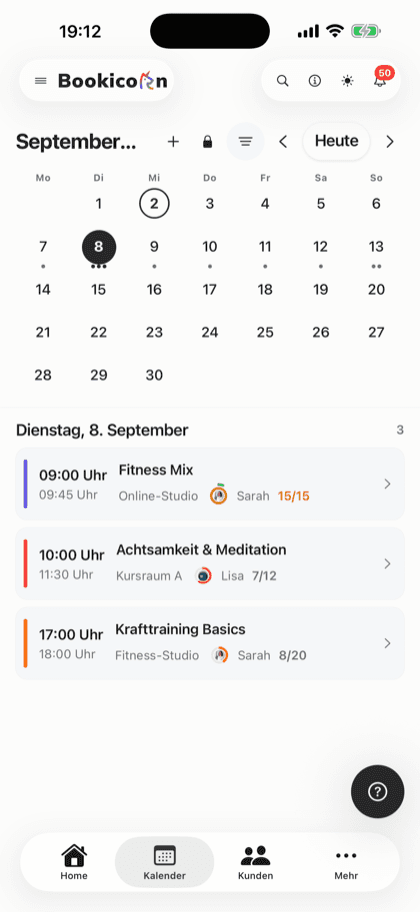
All your studio's sessions as week, month, day or list, with occupancy, instructor and room. Plus filters and the open hours for appointments.
Learn moreRoom management
Create rooms per location with capacity, size and amenities, and assign them to your offerings and individual sessions.
Learn moreOnline payments with Stripe
Your clients pay online when booking by card, Apple Pay, Google Pay, Klarna and more. The money goes directly to you through Stripe, with no commission.
Learn moreFrequently asked questions about resources and reservations
Answered briefly. The first sentence is always the answer.
Can't find your question?
Write to usWith appointments the client picks a time, and with a reservation they also book a thing, such as a cabin or a horse. Technically, a reservation is an appointment offering or an offering over a rental period to which you link resources.
Still have questions about resources and reservations?
Write to us in two minutes. You get a personal reply from people, not from a bot, and we tell you honestly whether Bookicorn is right for you.

Hi, I'm Daniel. Tell me briefly what you offer, and I'll tell you how to set it up in Bookicorn.
Daniel Haenle · replies personally

Ready to make your resources bookable online?
Create your account, test all features and add-ons for 14 days and set up your first resource. You don't need a credit card.
- 14 days of every feature
- No credit card
- 0% commission
- No minimum term

Ready to go in minutes
- Create your account
- Add your first offering
- 3Share your booking page