




Availability profiles: set when clients can book
Set once on which days and at which times you can be booked, with individual open days and closed periods for vacations and holidays. One profile applies to several offerings.
- Free plan, free forever
- No demo call, start right away
- No credit card
Updated 25 September 2026
Availability profiles at a glance
- several time windows, such as with a lunch break
- Per weekday
- individual days with their own hours
- Open days
- vacations, holidays, individual days
- Closed
- one profile for several offerings
- Reusable
- included even in the Free plan
- In every plan
What is an availability profile?
An availability profile sets when clients can book an appointment offering: per weekday with one or more time windows, plus individual open days and closed periods for vacations or holidays. In Bookicorn, you create it once and use it for several offerings. With the Resources add-on, a profile also determines when a resource can be used.
- Who it's for
- For anyone offering time slots instead of fixed sessions: practices, coaches, tutoring, open studios and anyone with several offerings at the same hours.
- What you get
- Hours per weekday, individual open days, closed periods, an overview of which profile is used where, and a preview of the next available times.
- What it costs
- Availability profiles are included in every plan, even the Free plan for €0. You pay 0% commission on your bookings.
What availability profiles can do
A profile describes when you're open. Bookicorn works out which times are actually free from your bookings.
All featuresHours per weekday
One or more time windows per day. A gap, such as the lunch break, means no bookings during that time. You copy one day's hours to all days with one tap.
Individual open days
Open additionally on specific days, each with its own hours. If such a day falls on a weekday with hours, only the open day's hours apply that day.
Closed periods
You enter vacations, holidays or individual days as a closed period. Closed always applies, even on an open day.
One profile, several offerings
Attach the same profile to several offerings. The overview shows how many offerings use each profile. If you change the hours, they apply everywhere.
Preview of the next times
In the offering you see which start times your clients can book next. That way you check profile, duration and booking rules at a glance.
For resources and rentals too
With the Resources add-on, every resource gets its own usage hours. If resources are attached to an offering, only the time when both the offering and the resources are open applies.
Also included
- Create your studio's standard hours as the first profile with one tap
- Overview: profiles in total, in use and unused
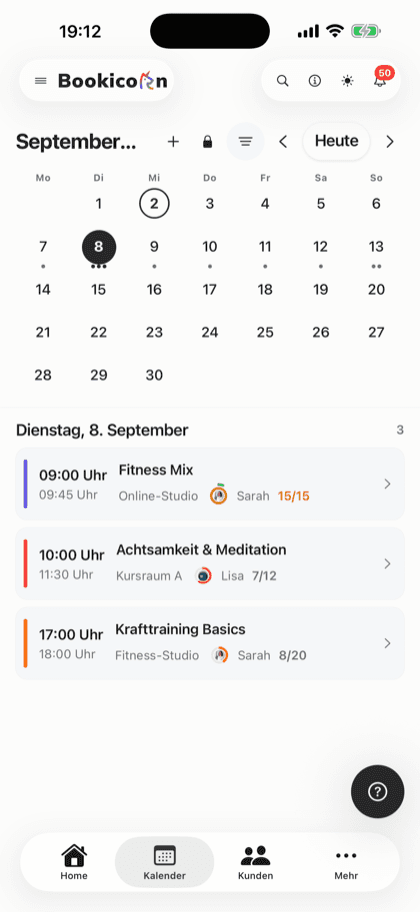
- Open hours for appointments shown as a shaded area in the calendar
- Booking period in the offering as rolling or a fixed date range
- Several profiles side by side, such as for summer and winter hours
What others use together with availability profiles
Core features are included in every plan, add-ons you turn on when you need them.
Class and appointment scheduling
Single sessions, recurring series and appointments in one system, plus session blocks and rentals as add-ons. With the same payment methods and booking rules.
Learn moreCalendar overview
All your studio's sessions as week, month, day or list, with occupancy, instructor and room. Plus filters and the open hours for appointments.
Learn moreResources and reservations
Let clients reserve cabins, courts, equipment, animals and rental items online: with units, pricing rules, deposits and a calendar per resource.
Learn moreBooking rules and cancellation policy
Set the booking window, booking cutoff, cancellation deadline and payment methods for each offering. Bookicorn applies them to every booking.
Learn moreOccupancy Management
Double-booking warnings for rooms and instructors, blocked days for rooms and locations, maintenance per room and only free room times for appointments.
Learn moreFrequently asked questions about availability profiles
Answered briefly. The first sentence is always the answer.
Can't find your question?
Write to usFor every appointment offering, where it's required. It sets the hours in which clients can choose a start time. Offerings with fixed sessions don't need a profile.
Still have questions about availability profiles?
Write to us in two minutes. You get a personal reply from people, not from a bot, and we tell you honestly whether Bookicorn is right for you.

Hi, I'm Daniel. Tell me briefly what you offer, and I'll tell you how to set it up in Bookicorn.
Daniel Haenle · replies personally

Ready to set your bookable hours?
Create your account, set up your first availability profile and attach it to an appointment offering. The Free plan stays free, and you don't need a credit card.
- 14 days of every feature
- No credit card
- 0% commission
- No minimum term

Ready to go in minutes
- Create your account
- Add your first offering
- 3Share your booking page